


Introduction
When I first started recording digitally in the early 2000s, we technically had “free” DAW options. And by free, I mean cracked copies of Cakewalk and SONAR.
I was a broke college kid, and that was just kind of the reality at the time. But I’ve spent most of my adult life working as a software engineer, so let me be clear: don’t pirate software. The only people that really get hurt in the long run are the developers building the tools we all rely on.
The good news is you don’t have to do any of that anymore.
There are legitimately free DAWs now that are powerful enough to record, mix, and even release music without ever hitting a paywall. Some are limited. Some have quirks. But a few are genuinely solid platforms you can learn on and grow with.
This guide covers the best free DAW software available in 2026 — tools you can commit to, actually learn, and use without wondering when you’re going to get locked out or forced to upgrade.
Pick one. Start making music. Stop second-guessing yourself.
Best Overall: Cakewalk Next
Best for Beginners (Mac): GarageBand
Best for Electronic Music: Tracktion Waveform Free
Best for Beat-Making: LMMS
Best for Quick Audio Editing & Podcasting: Audacity
Best Long-Term Option: Reaper
Affiliate Disclosure:
Some of the links in this article are affiliate links. If you purchase through these links, Sonic Odyssey may earn a small commission at no additional cost to you. This helps support the site and allows us to continue creating in-depth guides for music producers.
Start Building Your Production Setup
Everything you need to go from zero to making real tracks
 Zachary Darrel Randall
Dial in your mix with powerful free EQ plugins that actually get the job done
 Zachary Darrel Randall
Get great guitar tones without spending a dime using these free amp sims
 Zachary Darrel Randall
Start your mic collection with versatile picks that cover vocals, guitars, and more
🔥 Our Top Picks for Free DAW Software
Cakewalk Next
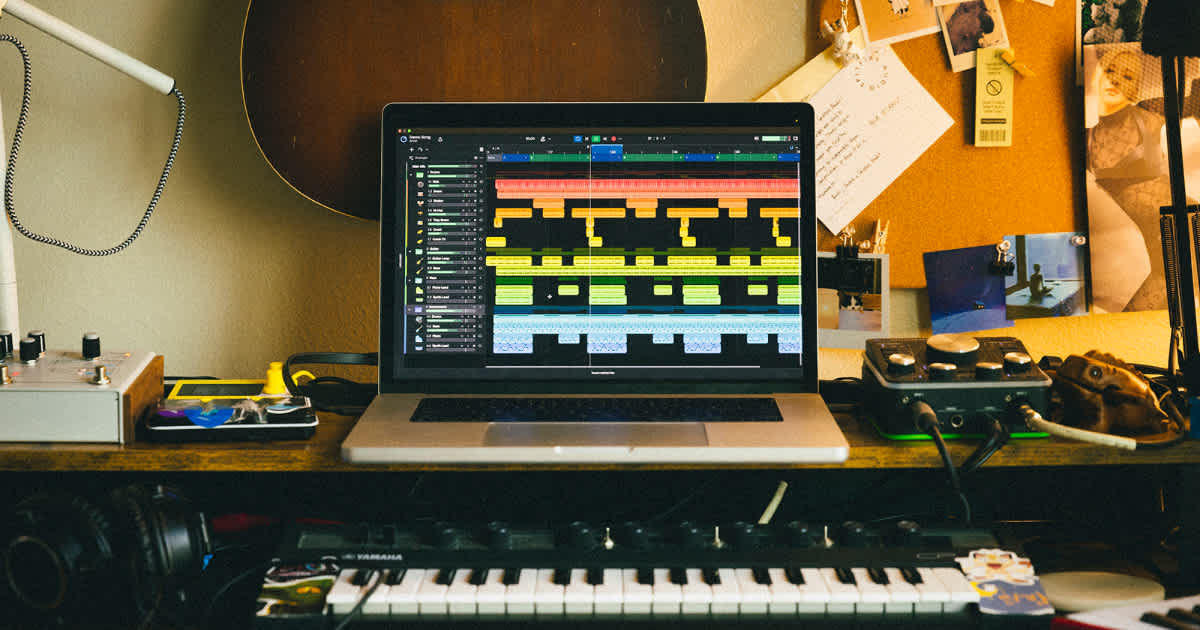
- OS support: Windows, macOS
- Plugin support: VST3
- Best for: Beginners who want a modern, clean DAW without the bloat of older platforms
- Why we like it: Streamlined workflow, cross-platform support, and much easier onboarding than legacy Cakewalk
- Drawbacks: Still evolving, not as deep as the original SONAR-based Cakewalk
If you’ve heard people rave about Cakewalk over the years, they’re usually talking about the old SONAR-based version. That DAW was insanely powerful, but it was also a bit of a beast and not exactly beginner-friendly.
Cakewalk Next is BandLab’s attempt to modernize that entire ecosystem, and it’s a much better fit for new users.
It’s cleaner, faster to get started with, and far less overwhelming if you’re just trying to record your first tracks or build a basic mix. You still get solid core features for audio recording, MIDI, and mixing, but without feeling like you just opened a legacy studio environment from 20 years ago.
The biggest upgrade here is accessibility. With support for both Windows and macOS, it’s no longer locked to a single platform, which makes it a much easier recommendation than the old version ever was.
The tradeoff is depth. If you’re coming from a pro background or you want every possible feature under the sun, you’ll notice what’s missing. But if you’re just getting started, that’s probably a good thing.
If your goal is to install something, start making music immediately, and not get buried in menus, Cakewalk Next is one of the easiest DAWs to recommend right now.
Free software can take you a long way, but at some point, you’ll hit the ceiling.
When that happens, don’t be the guy paying $199 for something that was $29 last week. We track plugin deals daily so you can upgrade your setup without getting ripped off.
Start free. Upgrade smart.
👉 Featured Plugin Deals
👉 Newest Plugin Deals
👉 Plugin Deals Ending Soon
💡 Build Your Studio the Smart Way
Get Sonic Odyssey’s Weekly Plugin Deals & Pro Tips Digest — new free tools, killer discounts, and production advice that actually helps you grow.
Tracktion Waveform Free
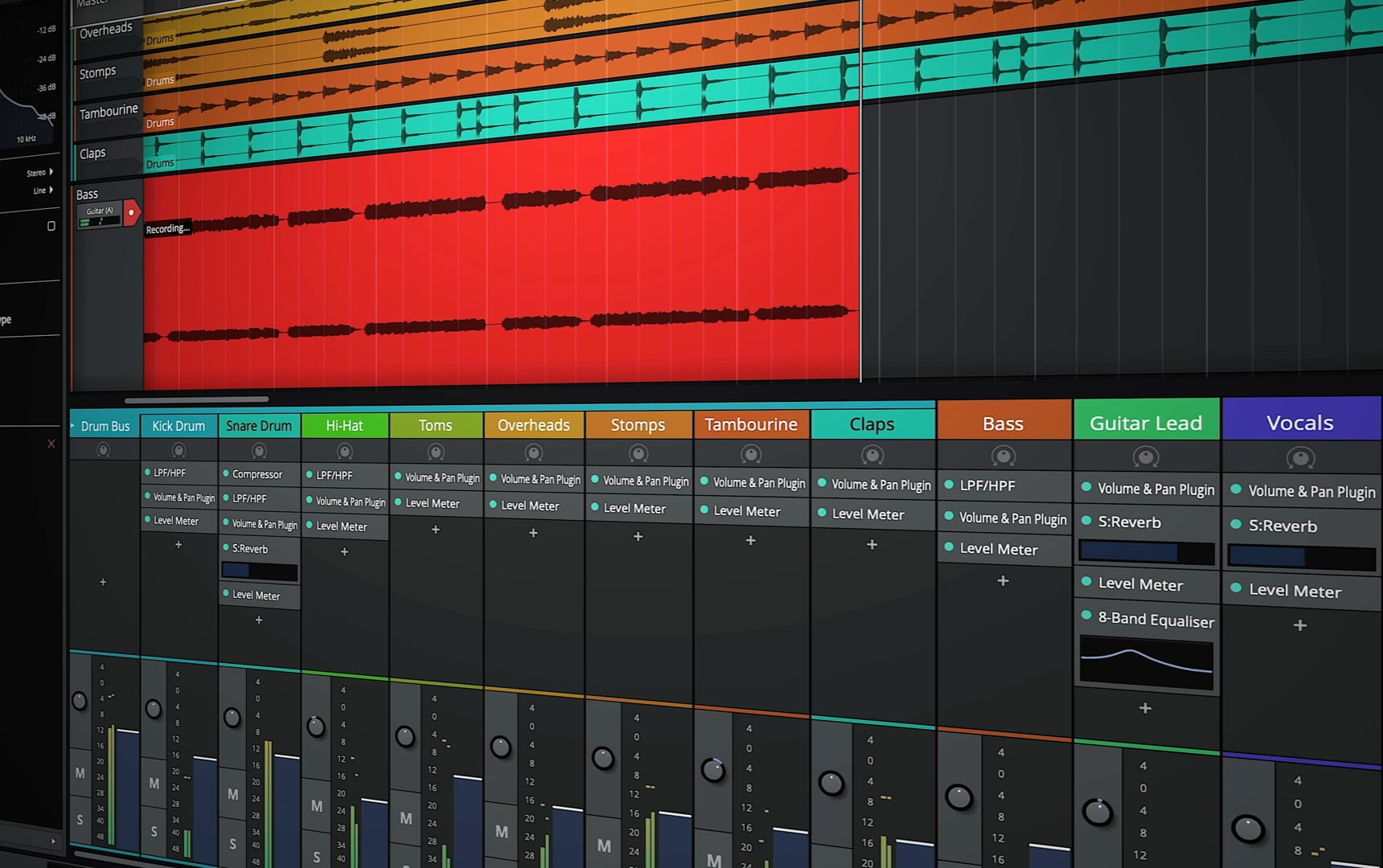
- OS support: Windows, macOS, Linux, Raspberry Pi (yes, seriously)
- Plugin support: VST2, VST3, AU (macOS), LV2 (Linux)
- Best for: Electronic music producers and anyone who wants a non-traditional workflow
- Why we like it: Modern design, no artificial limitations, and extremely flexible once you learn it
- Drawbacks: The interface is polarizing and not very beginner friendly at first
Waveform Free is the DAW equivalent of an artsy underground synthwave tape that somehow sounds incredible but also makes you question your life choices the first time you use it.
It does not behave like most traditional DAWs, and that’s either going to click immediately or completely throw you off.
What makes it stand out is how flexible it is. There are no artificial limitations, the workflow is fast once you understand it, and it’s especially strong for MIDI, loops, and electronic production. If you like building tracks in a more modular, non-linear way, this thing can be a playground.
Also, and I cannot stress this enough, it runs on basically everything. Windows, macOS, Linux, and for reasons I still don’t fully understand, a Raspberry Pi 3. If you are determined enough, you can literally build a DAW rig out of a $50 board and this software. It also supports LV2 plugins on Linux, which is a nice bonus if you’re working in that ecosystem.
The downside is that it’s not the most intuitive starting point. If you’re coming from something like GarageBand or Pro Tools, the layout and workflow can feel a little alien at first.
But if you stick with it, Waveform Free is one of the most powerful truly free DAWs out there.
GarageBand
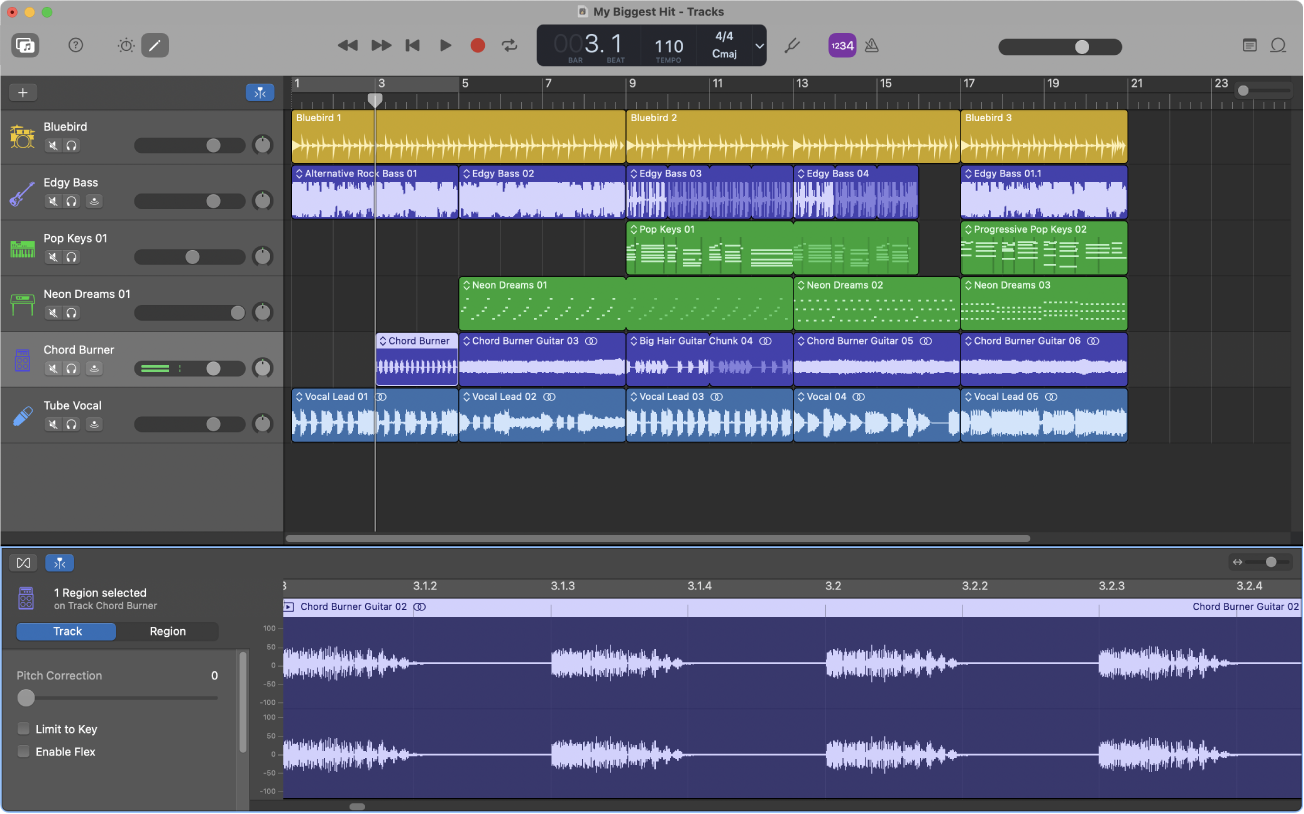
- OS support: macOS, iOS
- Plugin support: AU (macOS)
- Best for: Mac users and complete beginners
- Why we like it: Extremely easy to use, great built-in instruments, and a fast path from idea to finished track
- Drawbacks: Limited flexibility as your skills grow, simplified workflow can feel restrictive later on
GarageBand is Apple’s smooth, polished gateway drug into music production.
It barely feels like a DAW at first, and that’s exactly why it works so well. You can open it up, drop in some loops, record a track, and have something that actually sounds like music within minutes.
The built-in instruments are solid, the loop library is huge, and everything is designed to get out of your way so you can focus on ideas instead of menus.
It also supports AU plugins on macOS, which gives you more room to grow than most people expect at first.
Eventually, you will hit its limits. The workflow is simplified by design, and once you start needing more control over routing, mixing, or advanced production techniques, you’ll start to feel boxed in.
But as a starting point, especially if you’re already on a Mac, GarageBand is about as easy and effective as it gets.
Audacity
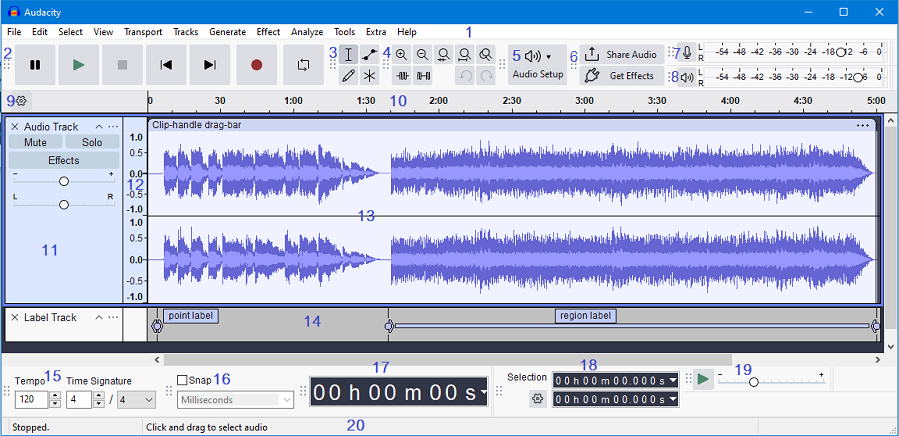
- OS support: Windows, macOS, Linux
- Plugin support: LADSPA, VST2 (limited), Nyquist
- Best for: Podcasting, audio editing, voiceovers, and simple recordings
- Why we like it: Lightweight, free, open source, and runs on basically anything
- Drawbacks: Not a full DAW. No MIDI, limited mixing, and very basic workflow
Audacity is the scrappy little audio editor that refuses to die.
It’s been around forever, and while people still lump it into “free DAWs,” it’s really not that. This is an audio editor first, not a full production environment.
That said, it’s incredibly useful.
If you need to record a quick vocal, clean up audio, remove noise, or edit a podcast, Audacity is fast, simple, and gets out of your way. It runs on basically anything, installs in seconds, and doesn’t try to be more than it is.
Where it falls apart is music production. There’s no MIDI, no real mixing workflow, and plugin handling is pretty limited compared to modern DAWs.
But that’s fine.
If you treat Audacity like what it actually is, a lightweight audio editor, it’s one of the best free tools you can have in your setup.
LMMS (Linux MultiMedia Studio)
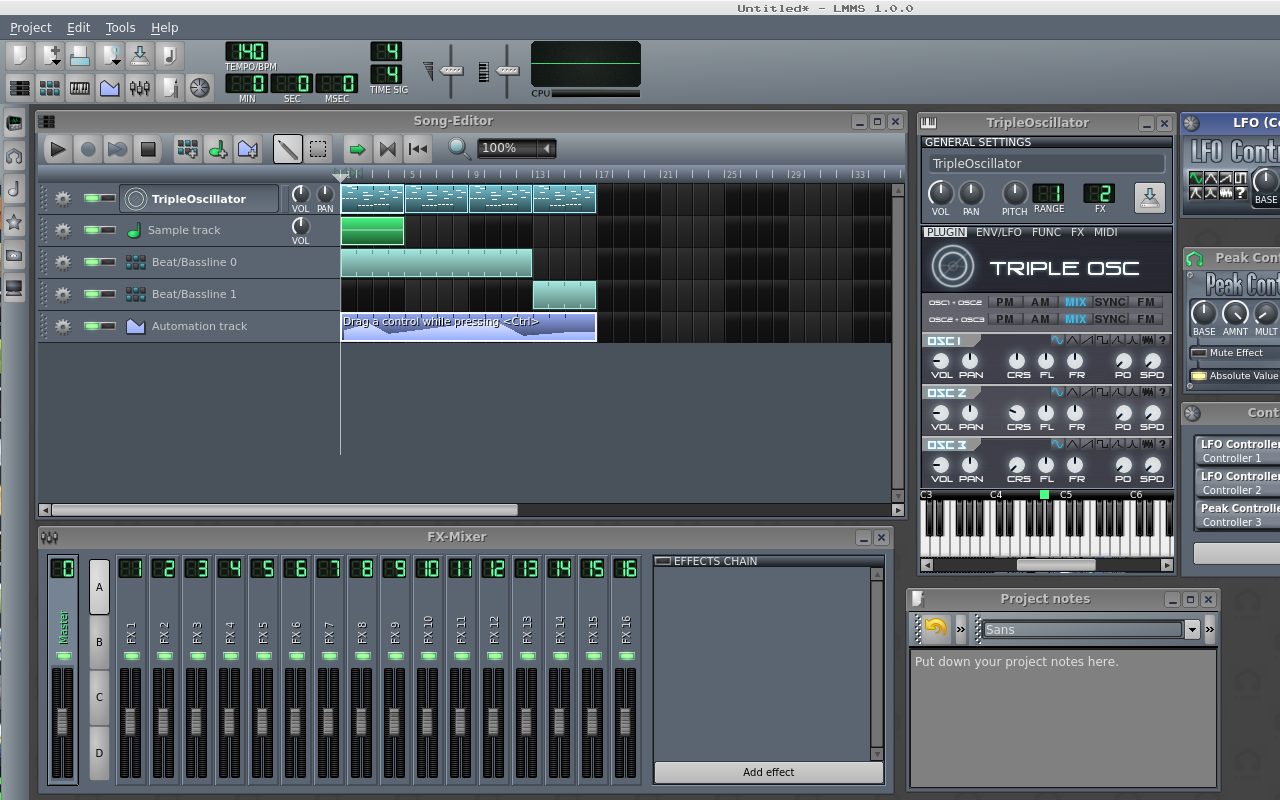
- OS support: Windows, macOS, Linux
- Plugin support: VST2 (Windows via Vestige), LADSPA, native instruments
- Best for: EDM and beat-making enthusiasts who want an FL Studio style workflow
- Why we like it: Built for electronic music, strong step sequencer, and completely free with no limitations
- Drawbacks: Dated UI, can be unstable, and not ideal for recording live audio
LMMS wants to be your free alternative to FL Studio, and in a lot of ways, it actually pulls it off.
The step sequencer, pattern-based workflow, and built-in synths make it a really solid choice for electronic music. If your goal is to make beats, loops, or full tracks without touching a traditional timeline-based DAW, this can get you there.
It’s not the prettiest thing in the world, and it can feel a little clunky at times, but the creative potential is absolutely there if you’re willing to spend some time with it.
And yes, despite the name, Linux MultiMedia Studio, LMMS is fully cross-platform. It runs on Windows, macOS, and Linux, so you’re not locked into anything.
Gianni the intern spent an entire afternoon trying to dual-boot Arch Linux with a vaporwave inspired KDE skin before I told him he could have just downloaded the Windows version. He’s still upset.
The biggest limitation is recording. LMMS is built for programming and sequencing, not tracking live audio, so if you’re planning to record vocals or instruments regularly, you’ll probably want something else.
If you’re building your setup, stop paying full price. We track the best deals from Plugin Boutique and update them constantly so you can grab top-tier tools before the prices jump back up.
Featured Plugin Deals: The best plugins worth buying—at prices that actually make sense.
Newest Plugin Deals: Fresh discounts just added. This is where the newest steals show up.
Deals Ending Soon: Prices about to go back up. If you’re even thinking about it, check these first.
Plugin Deals Hub: Browse all current deal pages across categories like EQ, reverb, delay, and more.
Get the deals now:
👉 Featured Plugin Deals
👉 Newest Plugin Deals
👉 Plugin Deals Ending Soon
👉 Browse All Plugin Deals
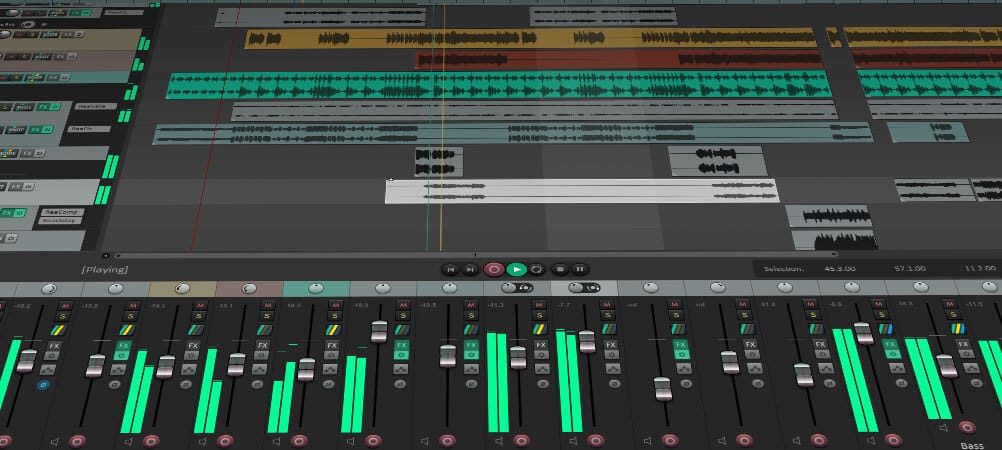
Bonus Pick: Reaper (Technically Not Free… But Close)
- OS support: Windows, macOS, Linux
- Plugin support: VST2, VST3, AU (macOS), JSFX
- Best for: Anyone who wants a full professional DAW without paying upfront
- Why we like it: Extremely powerful, lightweight, endlessly customizable, and the trial never locks you out
- Drawbacks: Steeper learning curve and a very “barebones” default experience
Reaper isn’t technically free.
But it kind of is.
It has a fully functional, unlimited trial with no restrictions. No track limits, no features locked behind a paywall, and no “export disabled” nonsense. You can use it indefinitely while you’re learning, which makes it one of the most beginner-friendly “not free” DAWs out there.
That said, if you stick with it, you really should buy a license.
It’s only $60 for a discounted license, and that gets you a full professional DAW with years of updates. For what you’re getting, it’s honestly one of the best deals in music production. Supporting the folks at Cockos is a pretty easy call if you end up using it regularly.
What you get for that price is kind of ridiculous.
Reaper can handle recording, mixing, mastering, MIDI, routing, scripting, and basically anything else you throw at it. It’s also insanely lightweight and customizable once you get comfortable with it.
The downside is that it doesn’t hold your hand. Out of the box, it’s a bit bare and can feel overwhelming compared to something like GarageBand.
But if you’re willing to learn it, Reaper is one of the best long-term DAWs you can start with, even if you begin on the free trial.
Just Pick One and Start Recording
There’s no one-size-fits-all answer here, but the biggest mistake you can make is overthinking it.
Pick one DAW from this list, install it, and start making something. You’ll learn more in a weekend of actually using a DAW than you will from reading ten more “best of” articles.
If you’re just getting started, GarageBand or Cakewalk Next are easy wins. If you’re leaning toward electronic music, Waveform Free or LMMS are great places to experiment. And if you want something you can stick with long-term, Reaper is always there when you’re ready.
The important thing is to start.
And when you do start running into limitations, whether it’s plugins, sounds, or workflow, that’s when it makes sense to look at upgrades, not before.
Upgrade Your Setup When You’re Ready
Better gear, better workflow, better mixes
 Zachary Darrel Randall
Speed up your workflow and make music more naturally with the right MIDI controller
 Zachary Darrel Randall
Hear your mixes clearly and make better decisions with the right pair of headphones
 Zachary Darrel Randall
Take a look inside my real world signal chain and the plugins I actually rely on


